Top Rated OBD Scanner for BMW: Unlock Hidden Features
If you’re a BMW owner, you know how frustrating it can be to deal with hidden issues or missing features that could enhance your driving experience. Many people struggle with accessing these extra functionalities, leaving potential untapped. You’re not alone—finding the right tools can make all the difference.
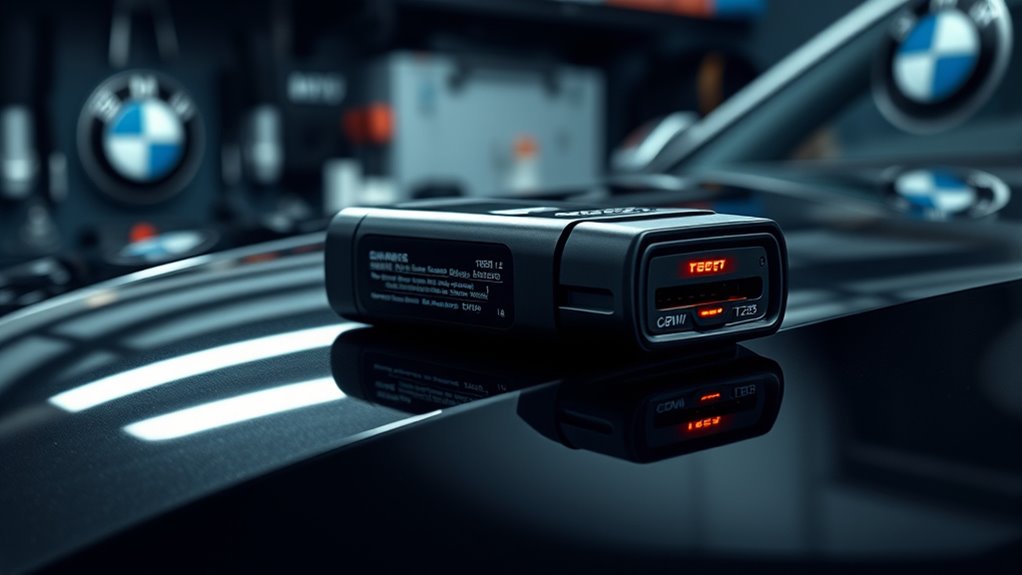
The top-rated OBD scanner for BMWs helps you access hidden features, customize settings, and get in-depth diagnostics. Look for models that support BMW-specific functions, live data streaming, and advanced coding options.
Brands with good reviews and reliable performance guarantee you avoid issues and get the most out of your vehicle.
If you keep exploring, you’ll uncover how to maximize your BMW’s potential and troubleshoot effectively.
Key Takeaways
- Choose a scanner compatible with BMW models that supports advanced coding and customization features.
- Prioritize devices with live data streaming, hidden feature unlocking, and regular software updates.
- Make sure it has smartphone app integration for real-time diagnostics and personalized settings.
- Look for reliable brands with positive user reviews, especially for unlocking hidden BMW features.
- Verify that the device offers proper calibration and firmware updates to access advanced customization and hidden functions.
What Is an OBD Scanner and Why BMW Owners Need One
An OBD scanner is a handy device that connects to your BMW’s onboard diagnostic port to read and interpret error codes from the vehicle’s computer system. This device uses OBD technology, which standardizes communication with your car’s electronic control units.
There are different scanner types, from basic code readers to advanced models with live data and customization features. Basic scanners quickly identify issues by displaying trouble codes, helping you figure out if repairs are needed.
More sophisticated models can offer detailed insights, allowing you to monitor engine performance, fuel efficiency, and sensor data. As a BMW owner, having an OBD scanner means you can troubleshoot problems early, save on repair costs, and even access hidden features your vehicle might have.
Whether you’re a DIY enthusiast or just want to stay informed about your car’s health, understanding the various scanner types helps you pick the right tool for your needs.
Benefits of Using an OBD Scanner on Your BMW
Using an OBD scanner on your BMW offers many benefits that can save you both time and money. One of the main advantages is getting quick diagnostic insights, so you can spot issues before they get worse.
Instead of relying only on a mechanic, you can monitor your vehicle’s health yourself. This helps you identify problems with sensors, the engine, or emissions systems early on.
Taking a proactive approach like this helps you avoid costly repairs by fixing problems early. Plus, an OBD scanner gives you real-time data, so you can better understand how your BMW is performing.
Proactively fixing issues early with an OBD scanner saves money and enhances your BMW’s performance.
You can track performance metrics, check for trouble codes, and even reset warning lights all by yourself. Overall, using an OBD scanner helps you maintain your vehicle more effectively.
It makes repairs more precise and less time-consuming, giving you more control over your BMW’s health. In the long run, it’s a great tool that can save you money and keep your car running smoothly.
Essential Features to Consider When Buying a BMW OBD Scanner
When you’re shopping for a BMW OBD scanner, the first thing you want to do is make sure it’s compatible with your specific model. No point in getting a scanner that doesn’t work with your car, right? You want one that can give you accurate diagnostics without any hassle.
Also, it’s smart to look for features like live data streaming, ABS and SRS testing, and sensor readings. These can really help you quickly identify what’s wrong with your vehicle. By focusing on these key functions, your scanner will become a handy tool that makes maintaining your BMW much easier.
Compatibility With BMW Models
Verifying your OBD scanner is compatible with your specific BMW model is key for accurate diagnostics and smooth operation. Different BMW variations may need specific software support to access all features.
Make sure the scanner supports your vehicle’s year, model, and engine type. This helps you get the most out of its features and ensures it connects properly.
Also, check the hardware requirements to guarantee the scanner connects easily and works without issues. Coding options can differ between scanners, so see if your desired features are supported for your BMW.
User reviews often emphasize the importance of choosing a reliable brand for consistent diagnostic results. An incompatible scanner might limit your ability to perform advanced functions or interpret data correctly.
Key Diagnostic Features
Three key diagnostic features can greatly improve your experience with a BMW OBD scanner. First, advanced diagnostics let you quickly identify issues with detailed fault codes and live data. This helps you understand complex engine or system problems beyond basic error codes.
Second, having access to hidden features is a must. Some scanners reveal manufacturer-specific functions like coding, adaptations, or resets, saving you trips to the mechanic. It’s a real time-saver.
Finally, user-friendly interfaces with clear displays and fast data retrieval make diagnostics smoother. These features ensure you’re not just reading trouble codes but actively engaging with your vehicle’s systems.
Choose scanners that offer advanced diagnostics, hidden feature access, and easy operation to get the most out of your BMW maintenance.
Best OBD Scanners for BMW Compared
Choosing the right OBD scanner for your BMW can make diagnosing and fixing issues much easier. With so many options out there, it’s important to compare features carefully.
Look for scanners with reliable Bluetooth connectivity. This lets you transfer data wirelessly and easily pair with your smartphone or tablet.
A user-friendly interface is also key. You want a device that’s intuitive, with clear menus and simple navigation so you don’t waste time figuring out how to use it.
Some scanners come with advanced features like live data streaming and detailed code reading. Others focus on basic diagnostics.
Think about your skill level and what you need—whether you want a simple tool for occasional use or a professional-grade device. Comparing these aspects helps ensure you pick a scanner that fits your BMW, offers seamless connectivity, and makes troubleshooting straightforward.
How to Install and Set Up Your BMW OBD Scanner
Getting started is pretty straightforward. First, you’ll want to connect your BMW OBD scanner properly to the vehicle’s port—usually located under the dashboard. Just plug it in, and you’re all set for the next step.
After that, you’ll need to install any software or drivers that came with your scanner. This helps your device communicate smoothly with your computer or smartphone. Once that’s done, you can move on to adjusting the device settings to make sure you get accurate readings and everything runs without a hitch.
Connecting the Scanner Correctly
Connecting your BMW OBD scanner correctly is key for accurate diagnostics and smooth operation. First, identify the scanner types compatible with your vehicle, like Bluetooth, Wi-Fi, or wired models.
Use the right connection tips: for wireless scanners, make sure Bluetooth or Wi-Fi is enabled on your device and pair it with the scanner following the manufacturer’s instructions.
For wired scanners, locate the OBD-II port under the dashboard, usually near the steering column, and securely plug in the connector. Double-check that the connection is firm and stable.
Once connected, turn on your vehicle’s ignition without starting the engine, and launch your scanner’s app or software. Correct setup guarantees reliable data transfer and accurate diagnostics.
Installing Necessary Software
Before you start diagnosing your BMW, you need to install the necessary software that will communicate with your OBD scanner. First, check that the software is compatible with your device and scanner model to avoid issues later.
Follow these installation steps:
- Download the correct software from the official manufacturer’s website.
- Make sure your device meets the system requirements for smooth operation.
- Run the installer and follow the prompts carefully, avoiding interruptions.
- Restart your device after installation to complete the setup and ensure everything is working properly.
Configuring Device Settings
Setting up your BMW OBD scanner involves carefully configuring its device settings to ensure accurate diagnostics. Start by accessing the scanner’s menu and navigating to the settings options.
Perform device calibration to make sure the scanner reads data from your vehicle correctly. This step is essential for getting precise readings and reliable fault detection.
Next, optimize the settings by adjusting parameters like data refresh rate and measurement units to suit your preferences. Also, check that the scanner’s firmware is up to date, as this can improve performance and compatibility.
Properly setting up your scanner helps prevent misdiagnoses and makes the diagnostic process smoother. Once everything is configured, test the scanner on your BMW to verify its accuracy and make any needed adjustments.
Taking these steps ensures you get the most out of your OBD device and reliable diagnostics every time.
Troubleshooting Common BMW OBD Scanner Issues
Encountering issues with your BMW OBD scanner can be frustrating, but many common problems have simple solutions. If you’re having trouble reading or clearing codes, dealing with software glitches, or facing connectivity problems, don’t worry—most are easy to fix with some basic troubleshooting.
First, check for common errors like loose connections or dead batteries. Sometimes, the simplest fix is ensuring everything is plugged in properly and powered up.
Next, verify that your scanner isn’t limited by its software. Make sure to update the software regularly to keep it compatible with your vehicle and to access all features.
Also, test the device’s connectivity by restarting both the scanner and the vehicle. This can often resolve temporary connection issues.
Finally, double-check that you’re correctly accessing live data and following proper procedures when reading or clearing codes. Proper technique can make a big difference in troubleshooting effectively.
Unlock Hidden BMW Features With Your OBD Scanner
Many BMW owners overlook the advanced features hidden within their vehicles’ systems, but your OBD scanner can help you access them. By exploring these hidden features, you can customize your driving experience, activate performance improvements, or reveal convenience options.
Keep your scanner updated to ensure compatibility with your model’s latest software, which may include new hidden features. With custom coding, you can personalize functions like lighting or seat adjustments that aren’t available through standard settings.
| Feature Type | Benefits |
|---|---|
| Hidden features | Reveals secret options that improve comfort and usability |
| Scanner updates | Guarantees access to new features and fixes bugs |
| Custom coding | Personalizes vehicle functions for a tailored experience |
| Performance enhancements | Improves engine response and efficiency |
Stay informed and cautious, as some modifications may affect your warranty or vehicle safety.
Using Smartphone Apps to Control Your BMW’s OBD Data
Smartphone apps have made it easier than ever to access and control your BMW’s OBD data directly from your device. With seamless smartphone integration, you can monitor real-time engine info, diagnose issues, and customize vehicle settings effortlessly.
To get started, make sure your app is compatible with your BMW model and supports OBD-II protocols. This will help you avoid connection problems and ensure smooth operation.
Use Bluetooth or Wi-Fi adapters for better smartphone integration. These options make it simple to connect your device to your car without hassle.
Check if the app offers features like live data streaming and fault code clearing. These tools can be really helpful for troubleshooting and keeping your BMW running smoothly.
Lastly, keep your app updated. Updates often include new features and security improvements, so staying current is always a good idea.
Affordable OBD Scanners for BMW Owners on a Budget
For BMW owners on a budget, finding an affordable OBD scanner that delivers reliable performance doesn’t have to mean sacrificing quality. There are several budget-friendly options that offer solid features without breaking the bank.
These affordable choices provide essential diagnostic functions, making them perfect for everyday use or basic maintenance. When picking a budget scanner, consider compatibility with BMW models and how easy it is to use.
The table below highlights some top budget picks, their key features, and price ranges:
| Model | Key Features | Price Range |
|---|---|---|
| Autel AutoLink AL319 | Multi-language, easy plug-and-play | $50 – $70 |
| BlueDriver Bluetooth | Wireless, thorough diagnostics | $100 – $130 |
| Innova 3100j | Live data, ABS/SRS diagnostics | $80 – $100 |
| ANCEL AD310 | Compact, basic code reading | $40 – $60 |
| Foxwell NT201 | Clear display, quick scan | $50 – $70 |
These budget options help you diagnose issues efficiently without overspending.
Precautions and Risks When Using Your BMW OBD Scanner
When you’re using your BMW OBD scanner, it’s really important to be careful. You want to make sure you handle it properly to avoid any damage to your vehicle. Just take your time and follow the right handling tips so you don’t accidentally cause any errors or harm. Being cautious like this helps ensure your diagnostics go smoothly and safely, without putting your car’s performance at risk.
Potential Vehicle Damage Risks
While an OBD scanner can be a helpful tool for diagnosing issues on your BMW, using it incorrectly can cause potential damage to your vehicle. Misinterpreting data or resetting systems unnecessarily might disrupt how your car’s systems work, which can affect maintenance and diagnostics.
To avoid problems, keep a few things in mind: don’t make changes or resets unless you’re confident you know what you’re doing. Be careful when disconnecting sensors or wires—only do so if you have experience.
Use the scanner only for diagnostics, not for attempting repairs. If you’re unsure about the information you see, it’s always best to consult a professional. Misuse could lead to system errors or damage, which might hurt your BMW’s performance.
Stay cautious and informed to ensure safe, accurate diagnostics. This way, you can protect your vehicle from avoidable harm while keeping it running smoothly.
Proper Scanner Handling Tips
Handling your BMW’s OBD scanner properly can prevent accidental damage and ensure accurate diagnostics. Always follow the user manual, as it provides essential instructions on connection procedures and safe usage.
Avoid forcing the connector into the port to prevent damage to the device or vehicle. Regular maintenance tips include keeping the scanner clean, storing it in a dry place, and avoiding exposure to extreme temperatures.
Before using, verify that your scanner is compatible with your BMW model to avoid incorrect readings. After you’re done, disconnect the scanner carefully to prevent electrical issues.
Proper handling not only prolongs the scanner’s lifespan but also guarantees reliable results, making your diagnostics more effective. Stay cautious and attentive to details during every scan.
Frequently Asked Questions
Can an OBD Scanner Diagnose All BMW Engine Problems Accurately?
An OBD scanner can diagnose many BMW engine problems accurately, especially with proper engine diagnostics. However, its effectiveness depends on BMW compatibility and the scanner’s capabilities.
While it pinpoints common issues like sensor failures or misfires, it might not catch all complex or rare problems. For a thorough diagnosis, especially for advanced engine issues, you might need specialized tools or professional help.
Are There Specific OBD Scanners Compatible With Older BMW Models?
Yes, there are specific OBD scanners compatible with older BMW models. When choosing a scanner, make sure it supports your car’s make and year to avoid any compatibility issues.
Some scanners are designed to work universally, but many older BMWs need specialized tools that can read proprietary codes.
Always check the device’s compatibility list before buying to ensure it will effectively diagnose and access hidden features in your older BMW.
How Often Should I Use My OBD Scanner for Maintenance Checks?
You should perform routine checks with your OBD scanner every 1,000 to 2,000 miles or at least once a month.
For example, a BMW owner who checks their car monthly caught a minor sensor issue early, avoiding costly repairs.
Regular diagnostic checks help you catch problems early, keep your vehicle running smoothly, and extend its lifespan.
Don’t wait for warning lights—make routine scans part of your maintenance schedule.
Can I Update My BMW OBD Scanner’s Software Easily?
Yes, you can update your BMW OBD scanner’s software easily. First, check the scanner’s features to see if a software update is available.
Then, follow the update process provided by the manufacturer, which usually involves connecting the scanner to your computer or Wi-Fi.
Regular updates ensure compatibility with newer BMW models and activate the latest features. Keeping your diagnostic tool current makes it more effective and reliable.
Do All OBD Scanners Support Bmw-Specific Coding and Customization?
Not all OBD scanners support BMW-specific coding and customization. You’ll want a scanner that’s highly compatible with BMW models to access those advanced features.
These scanners can do more than just basic diagnostics—they let you modify settings and unlock hidden features.
Make sure to check if the scanner works with your BMW to ensure it can handle the specific coding tasks you need.
Conclusion
Just like a skilled locksmith revealing secret chambers, your OBD scanner uncovers hidden features and insights within your BMW. With the right tools and knowledge, you can easily access and optimize your vehicle’s performance.
Remember, responsible use is key to preserving your car’s inner workings. Proper handling keeps everything running smoothly and avoids potential issues.
Welcome this modern key into your toolkit, and unlock a new level of control and understanding. Your BMW’s true potential is waiting just beneath the surface, ready for you to discover.