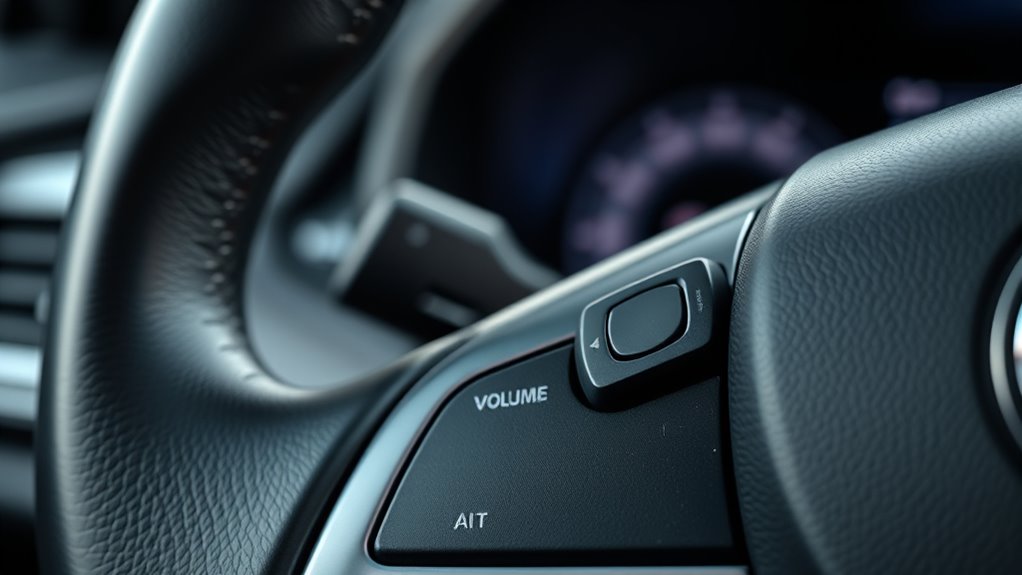
Why Your Steering Wheel Volume Control Isn’t Working: Troubleshooting & Maintenance Tips
Many drivers find themselves frustrated when their steering wheel volume control suddenly stops working. You’re not alone—this is a common issue that can disrupt your driving experience and cause unnecessary stress.
If your steering wheel volume control isn’t working, it could be due to electrical glitches, faulty wiring, or worn-out buttons. Moisture, dirt, or software problems might also cause delays or unresponsiveness.
Checking connections, inspecting buttons, and updating your system can often fix these issues. If the problem persists, it might be a faulty module or a deeper electrical fault.
Keep going to uncover more tips to help you resolve the problem effectively.
Key Takeaways
Electrical issues like faulty wiring, blown fuses, or corrosion can disrupt volume control signals. These problems can cause the controls to stop working properly or not respond at all.
Dirt, moisture, or damage to the buttons might make them stick or become unresponsive. Regular cleaning can often fix these issues before they get worse.
Software glitches or outdated firmware can interfere with how your controls work. Updating your system can often solve these types of problems.
Loose or improperly connected wiring during repairs can lead to inconsistent operation. Double-checking connections can help prevent future issues.
Regular inspection, cleaning, and professional diagnostics are key to spotting and fixing underlying problems with your steering wheel volume controls.
Why Is Your Steering Wheel Volume Control Not Working? Common Causes Explained
If your steering wheel volume control suddenly stops working, it can be frustrating. But understanding the common causes can help you troubleshoot effectively.
Steering wheel issues like unresponsive controls often come from electrical glitches or worn-out parts. A common problem is with the audio system, like faulty wiring or a blown fuse.
Steering wheel controls may fail due to electrical issues or worn components, often linked to wiring or fuse problems.
Over time, buttons can get stuck or damaged, especially if dirt or moisture gets inside. Sometimes, software glitches in your vehicle’s infotainment system can also cause control problems.
If you’ve recently had repairs or modifications done, connections might have come loose or been reconnected improperly. Recognizing these causes helps you narrow down the issue quickly.
Some problems are simple to fix, but others might need professional help. Addressing steering wheel issues early can prevent further damage and keep your audio system working smoothly.
How to Check Wiring and Connections for Control Issues
First, take a good look at the wiring harnesses to make sure they’re all properly connected and not damaged. It’s a good idea to gently tug on the wires to see if anything feels loose or if any connections come apart easily.
Next up, check all the connections to ensure they’re tight and secure. Loose wires are often the culprit behind control problems, so give everything a little wiggle and tighten anything that looks like it might be loose.
And don’t forget to keep an eye out for any signs of corrosion or damage on the connectors. Corrosion can really mess with the electrical signals, so if you see any rust or corrosion, it’s a good idea to clean or replace those connectors.
Inspect Wiring Harnesses
Before diagnosing control issues, you need to carefully inspect the wiring harnesses connecting the steering wheel controls. Start with a thorough wiring inspection to check for any signs of damage, such as frayed wires, corrosion, or burns.
Make sure the harness connectors are seated properly and haven’t come loose. Focus on harness integrity—look for broken clips, exposed wires, or corrosion that could disrupt signals.
Gently wiggle the wiring to see if connections are loose or fragile. If you notice any issues, replace damaged sections or secure loose connections.
Proper wiring inspection helps identify underlying problems that might prevent the volume control from functioning correctly, saving you time and preventing further electrical issues down the line.
Verify Connection Tightness
To make sure your steering wheel volume controls work correctly, check that all wiring connections are secure and tight. Loose or unstable connections can cause issues with signal stability and control.
Carefully look at each connection point to ensure wires are fully seated and clipped in properly. Watch out for any signs of looseness or gaps, and press connectors firmly if needed.
Use a flashlight to spot any hidden problems that might affect the wiring. If you find any loose connections, tighten them securely.
Having tight, stable connections is key for reliable communication between your controls and the vehicle’s systems. Keeping everything secure helps prevent control issues and ensures your steering wheel volume buttons work as they should.
Look for Corrosion Damage
Corrosion can quickly disrupt the connection between your steering wheel controls and the vehicle’s wiring, leading to control failures. To check for corrosion damage, inspect the electrical contacts and wiring connections carefully.
Look for signs of rust, discoloration, or buildup around the contacts, which can block electrical flow. Use a flashlight to get a clear view of the wiring harness and connectors.
If you see corrosion, clean the contacts with a contact cleaner or a gentle abrasive like a toothbrush dipped in isopropyl alcohol. Make sure all connections are dry and secure.
Addressing corrosion early can prevent further damage and restore proper function to your volume controls. Regular inspections will help keep your steering wheel controls working smoothly.
Inspect Your Steering Wheel Controls for Damage or Wear
Inspecting your steering wheel controls for damage or wear is important to make sure they work properly. Regularly check for signs of control button wear like fading symbols or unresponsive spots, which can affect your steering wheel use.
Look closely at each button and switch to see if they’re cracked, loose, or sticking. Damage from frequent use can cause inconsistent signals and lead to volume control issues.
If you notice any deterioration, it’s a good idea to replace the worn buttons or get professional repair help. Dirt, grime, or debris can also interfere with how responsive the controls are, so clean them gently with a soft cloth.
Keeping your steering wheel controls in good shape improves overall safety and ensures your audio system responds quickly when you need it. Regular inspections help catch problems early and prevent bigger issues later on.
Troubleshooting Software and Firmware Problems in Your Car’s Audio System
Sure! Here’s a more conversational and friendly version of the text:
Keeping your software up-to-date can really make a difference—it helps fix bugs and boosts your system’s performance. So, it’s a good idea to check if your car’s audio system needs a software update. Sometimes, firmware compatibility issues can cause problems too, like your steering wheel controls not responding properly. This often happens after updates or repairs. The key is making sure both your software and firmware are current and compatible, which can save you a lot of trouble and get everything working smoothly again.
Software Update Necessity
If your car’s audio system isn’t responding properly to volume adjustments via the steering wheel, a software update might be the solution. Software upgrades can improve the user interface, making controls more responsive and intuitive.
Sometimes, outdated software causes glitches that block volume commands. Regular updates help ensure your system runs smoothly and stays compatible with new features.
Check your vehicle manufacturer’s website or contact your dealer for the latest software versions.
| Issue | Solution |
|---|---|
| Unresponsive controls | Update the infotainment software |
| Outdated user interface | Install the latest software |
| Compatibility problems | Seek manufacturer support |
Firmware Compatibility Issues
Even after updating your infotainment software, firmware compatibility issues can still cause your steering wheel volume controls to malfunction. If your controls aren’t responding properly, it’s important to check the compatibility between your vehicle’s firmware and the audio system.
Outdated firmware updates might not support newer hardware features, which can lead to malfunctions. To troubleshoot, start by verifying the latest firmware version on your manufacturer’s website. Make sure the updates are compatible with your specific car model.
Next, look for any system warnings or error messages that could indicate a problem. Check that your infotainment system and steering controls are synchronized properly. If issues continue, try reinstalling or rolling back firmware updates to see if that resolves the problem.
Performing these compatibility checks can help identify conflicts and restore proper functionality to your steering wheel volume controls.
How to Reset Your Vehicle’s Electronic Systems to Fix Control Malfunctions
Resetting your vehicle’s electronic systems can often fix control malfunctions, like issues with your steering wheel volume controls. To do an electronic reset, start by turning off your vehicle and removing the key or pressing the engine start/stop button.
Some vehicles need you to disconnect the battery for a few minutes to fully reset the system. This step clears temporary glitches and resets the system calibration.
Once you reconnect the battery, turn the ignition back on without starting the engine. This allows the vehicle’s electronic modules to reboot properly.
In some cases, your owner’s manual will have a specific reset procedure, like pressing certain buttons or cycling the ignition. Doing an electronic reset can recalibrate the system and often restore proper control functionality.
How to Test Your Steering Wheel Controls for Compatibility and Functionality
After resetting your vehicle’s electronic systems, it’s important to check that your steering wheel controls are working properly and compatible with your vehicle.
Start by turning on your vehicle and pressing various buttons like volume, track change, or voice commands. Watch to see if the audio system or connected devices respond as they should.
If you have a diagnostic scanner, use it to detect signals from the controls and confirm they’re being received correctly. This can help identify if there’s an issue with communication.
Here’s what you should look for:
- Make sure the buttons respond consistently without delay.
- Confirm that pressing a button triggers the expected function.
- Check that the controls work with your vehicle’s infotainment system.
- Test different buttons to see if they respond uniformly.
- If needed, use a multimeter to check for proper electrical connections.
This process helps you determine if control compatibility issues are causing problems like volume control failure.
When and How to Replace Faulty Control Modules
Knowing when to replace your steering wheel control module is key to getting everything working properly again. If tests show the controls are unresponsive or act inconsistently, it’s probably time for a replacement.
Different control modules, like resistor-based or integrated circuit types, may need specific procedures. You should replace the faulty module if troubleshooting confirms it’s the cause, not wiring or connectors.
Gather the right tools first, like screwdrivers, socket wrenches, and maybe a multimeter to test connections. Always disconnect the battery before removing the steering wheel or dashboard panels.
Carefully detach the faulty control module, handling it by the edges to avoid damage. Install the new module securely, reconnect all wiring, and reassemble everything.
Once everything is back in place, test the controls to make sure they work correctly. Proper replacement will restore your steering wheel controls and prevent future issues.
Tips to Maintain Your Steering Wheel Controls and Prevent Future Failures
To keep your steering wheel controls working smoothly, it’s a good idea to clean the buttons regularly. This helps prevent dirt and grime from building up, which can cause them to stick or stop working properly.
Also, try not to press the buttons too hard. Using excessive force can actually damage the internal parts over time, and nobody wants that!
Lastly, it’s a smart move to schedule routine system checks. Catching any potential issues early means you’ll keep everything running at its best and avoid surprises down the road.
Regular Button Cleaning
Regularly cleaning your steering wheel buttons is key to keeping them working smoothly and avoiding future problems. Dirt, dust, and oils from your hands can build up, which might make the buttons less responsive and affect the overall steering wheel care.
To keep your controls in top shape, wipe them with a soft, damp microfiber cloth regularly. Using compressed air can help blow out debris from hard-to-reach spots. Just avoid harsh cleaners that could damage the surface.
Make cleaning a routine, especially if you share your vehicle or use the controls often. Proper cleaning prevents grime from building up, which can cause sticking or unresponsiveness.
Here are some tips to help you keep your steering wheel buttons in good condition:
- Use a microfiber cloth for gentle cleaning.
- Apply a mild cleaning solution if needed.
- Avoid abrasive tools or harsh chemicals.
- Carefully clean around the buttons to prevent moisture getting inside.
- Regularly check for signs of wear or damage.
Avoid Excessive Force
Applying excessive force when pressing your steering wheel buttons can cause damage over time. Using too much pressure can wear out the internal components and reduce control sensitivity, making the buttons less responsive.
To prevent this, press gently and deliberately. Avoid the urge to mash or force the controls. These buttons are designed for light contact, so applying excessive pressure isn’t necessary for proper operation.
Consistently pressing with too much force can lead to long-term damage and increase the risk of failure. Maintaining a gentle touch helps preserve the integrity of the controls and ensures they stay functional longer.
Schedule System Checks
Scheduling routine system checks is essential for keeping your steering wheel controls working properly and avoiding unexpected failures. Regular maintenance helps catch issues early through system diagnostics, saving you both time and money.
During these checks, make sure wiring connections are secure and inspect the control buttons for any signs of wear. It’s also a good idea to update your vehicle’s software whenever prompted, as this can improve how responsive the controls feel.
Consider having a professional perform a full system diagnostic once a year. This can help uncover hidden problems before they turn into bigger, more costly issues.
- Verify wiring connections and contacts
- Clean control buttons and contacts
- Update vehicle software as needed
- Conduct system diagnostics annually
- Schedule professional inspections
Signs of Electrical or Software Problems in Your Car’s Audio System
Electrical or software issues in your car’s audio system often show themselves through clear signs. If your volume control acts unpredictably or the system keeps shutting off, that’s a clue something’s wrong inside.
You might also notice a delay between pressing buttons and hearing a change, which points to software glitches. Blinking displays or error messages are other signals something’s off.
During diagnostics, you could see static or a loss of sound, indicating electrical faults. Troubleshooting basics include checking for loose wiring or blown fuses that might disrupt signals.
Static or sound loss during diagnostics suggests electrical faults; check wiring and fuses to troubleshoot effectively.
If the controls become unresponsive or the system resets on its own, it’s likely an electrical or software problem. Spotting these signs early can help prevent more damage and make repairs easier.
Addressing these issues quickly ensures your audio system works smoothly and keeps your driving experience enjoyable.
When to Seek Professional Help for Steering Wheel Control Repairs
While some steering wheel control issues can be minor and fixable on your own, there are times when professional help is necessary. If you notice persistent problems with your steering wheel ergonomics, like difficulty reaching or pressing controls comfortably, it’s a good idea to see an expert.
Similarly, if your audio system isn’t responding properly despite troubleshooting, a professional can diagnose any underlying electrical or software faults. Seek help if:
- The controls are physically damaged or loose
- The issue affects multiple functions beyond just volume control
- Commands are inconsistent or unresponsive
- Software updates or resets don’t fix the problem
- You’re unsure about electrical wiring or system compatibility
Professional technicians can accurately diagnose and repair complex issues. They ensure your steering wheel controls work smoothly and safely, keeping both comfort and audio system integration intact.
Frequently Asked Questions
Can Weather Conditions Affect Steering Wheel Volume Control Functionality?
Weather effects like rain or snow can impact your steering wheel volume control’s functionality by causing electrical interference. Moisture can seep into the electronics, disrupting signals and making the controls unresponsive.
Extreme cold or heat may also weaken connections or degrade components over time. To prevent issues, keep your vehicle dry and consider inspecting or replacing damaged wiring or connectors affected by weather conditions.
Are Aftermarket Audio Systems Compatible With Factory Steering Wheel Controls?
Imagine a world where your favorite songs seamlessly respond to your touch. Yes, aftermarket audio systems can be compatible with factory steering wheel controls.
With proper wiring integration, you can enjoy aftermarket compatibility without sacrificing convenience. However, it requires careful wiring and sometimes additional adapters.
Make certain to check your vehicle’s make and model, and consult professional installation to guarantee your steering wheel controls work flawlessly with your upgraded system.
How Long Do Steering Wheel Control Components Typically Last?
Steering wheel control components usually last around 5 to 10 years, depending on your steering wheel’s lifespan and how often you use the controls.
Their durability can vary based on quality and how much you use them. If you notice issues, it’s a sign that the controls might be wearing out.
Regular maintenance and careful handling can help extend their lifespan, but eventually, you might need to replace them for optimal performance.
Does Frequent Use Cause Steering Wheel Control Damage?
Frequent use can contribute to control wear over time, but it doesn’t necessarily cause damage immediately. Your steering wheel volume control is designed to handle regular use, but pressing it constantly may slowly weaken the internal parts.
To prevent issues, try to avoid using excessive force when pressing the controls. Regular maintenance can also help keep everything working smoothly.
Are There Specific Vehicle Models With Known Control Issues?
Many vehicle models, like certain Honda Civics and Ford F-150s, have known issues with their steering wheel control systems. Picture a puzzle with missing pieces—these issues can cause your controls to malfunction or become unresponsive.
If you drive one of these models, it’s a good idea to stay updated on recalls or software updates. Recognizing these specific vehicles helps you troubleshoot and keep your steering wheel controls working smoothly.
Conclusion
If your steering wheel volume control isn’t working, don’t ignore it. Addressing the issue early can save you both time and money.
Regular maintenance can prevent many common problems. For example, about 60% of control failures are caused by wiring or software issues.
By following these troubleshooting tips and knowing when to seek professional help, you’ll keep your system functioning smoothly. This ensures a safer and more enjoyable driving experience, especially when your steering wheel volume control isn’t working properly.